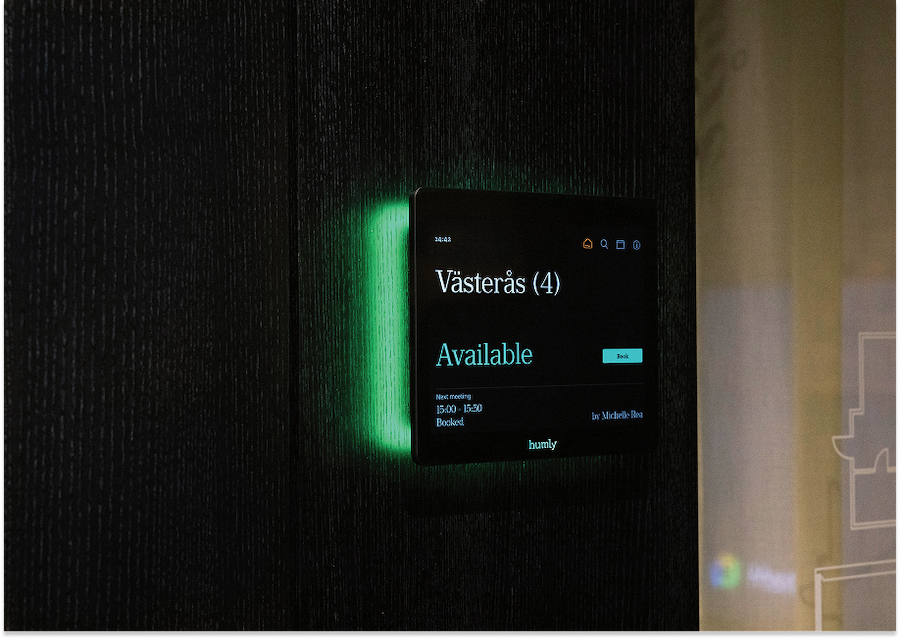
What is Wayfinding?
Learn how wayfinding helps employees and visitors navigate workplaces using maps, signage, and digital tools. Wayfinding helps people find their way in the workplace.
Wayfinding is essential in modern workplaces, especially in large or complex office environments. It ensures that employees and visitors can easily locate meeting rooms, desks, and other key areas. Digital wayfinding solutions enhance this by providing real-time navigation, interactive maps, and integration with booking systems. This allows users to navigate directly to reserved spaces without confusion. By reducing time spent searching for spaces, wayfinding improves efficiency, reduces frustration, and enhances the overall workplace experience.
The Humly Dictionary
Humly explores simplified explanations of common business communication terms related to our products.
Workplace Management
Workplace Management System
Workplace Scheduling
Workspace Booking Software
Room Booking
Room Booking Displays
Desk Booking
Desk Booking System
Workplace Experience
Smart Workplace
Workplace Analytics
Wayfinding/Navigation
Visitor Management
Space Utilization
Space Management Software
Hybrid Workplace
Microsoft Teams Room
Teams Panel
Occupancy Detection
AV Stack
Workplace Management
Workplace management is how organizations make their workplace work. It brings together rooms, desks, visitors, navigation, and shared resources into one connected experience.
At its core, it combines the systems and workflows that support booking, wayfinding, visitor management, and workplace insights. The goal is simple. Reduce friction. Use space better. Create a workplace that feels clear, connected, and easy to move through.
As workplaces become more flexible, this matters more than ever. People come and go. Needs change throughout the day. A modern workplace needs to adapt without adding complexity.
Workplace management creates structure and flow. It connects physical spaces with digital tools so people can easily find, book, and use what they need, when they need it.
A strong system helps employees find the right space, book in seconds, and welcome visitors with confidence. At the same time, it gives organizations a clearer view of how the workplace is used, supporting better decisions around occupancy, design, and hybrid work.
The system you don’t think about. Until you see the results.
At Humly, workplace management should feel intuitive. It should stay in the background and let work take focus.
Our approach brings booking, wayfinding, visitor management, and insights into one connected ecosystem. One system. No gaps. No extra steps.
It means fewer interruptions, smoother days, and better use of space. It means data that turns into real decisions. And it means a workplace that simply works.
Because great tools don’t demand attention. They give it back.
Workplace Management System
A workplace management system is a platform that connects workplace tools, data, and processes.
It centralizes workplace operations, making it easier to manage spaces and resources.
A workplace management system integrates multiple workplace functions into one platform. This includes booking systems, analytics, and integrations with other tools such as calendars and access control systems.
By centralizing these functions, organizations gain better visibility and control over their workplace. Employees benefit from a seamless experience, while managers can access insights that support strategic decision-making.
This unified approach reduces complexity and ensures that workplace tools work together effectively.
Humly connection
Humly acts as a connected workplace platform bringing together booking, displays, and insights.
Workplace Scheduling
Workplace scheduling is the process of organizing how spaces are used over time.
It ensures that rooms, desks, and resources are available when needed.
Workplace scheduling is about coordinating when and how workplace resources are used. This includes managing meeting room bookings, desk reservations, and shared spaces across the organization.
Digital scheduling tools allow for real-time updates and adjustments, making it easier to respond to changing needs. This flexibility is especially important in hybrid workplaces, where demand for space can vary daily.
Effective workplace scheduling reduces conflicts, improves collaboration, and ensures that resources are used efficiently.
Humly connection
Humly supports workplace scheduling through integrated booking and real-time availability tools.
Workspace Booking Software
Workspace booking software allows employees to reserve desks, rooms, and other workplace resources digitally.
Workspace booking software is a centralized system that enables employees to find and reserve available workspaces such as desks, meeting rooms, and collaboration areas. It provides real-time visibility into availability and helps organizations manage how their spaces are used.
As workplaces become more flexible, managing shared spaces efficiently is critical. Workspace booking software provides a unified platform where employees can view availability, make reservations, and manage bookings across multiple locations and devices.
These systems typically integrate with calendars, workplace apps, and access control systems, creating a seamless experience for users. Employees can plan their office days in advance, while organizations gain valuable insights into usage patterns and demand.
By implementing workspace booking software, organizations can reduce wasted space, improve employee experience, and support hybrid work strategies. It ensures that the workplace adapts to real usage rather than static assumptions.
Humly connection
Humly provides an intuitive workspace booking experience through connected devices and integrated workplace solutions.
Room Booking
Room booking is the process of reserving meeting spaces using digital tools, calendars, or displays.
Room booking allows employees to reserve meeting rooms in advance or instantly, ensuring that spaces are used efficiently and without conflict. Users can see availability in real time and book rooms directly from calendars, mobile devices, or displays outside meeting rooms.
Modern systems integrate with tools like Outlook and Google Calendar, automatically syncing bookings and reducing scheduling conflicts.
As workplaces become more flexible and collaborative, managing meeting spaces efficiently has become increasingly important. Room booking systems provide visibility into which spaces are available, when they are in use, and how they are utilized over time.
Without a structured room booking system, organizations often experience double bookings, underutilized spaces, and “ghost meetings” where rooms are reserved but not used. Digital room booking solutions solve these challenges by offering real-time updates, automated scheduling, and seamless integrations with existing workplace tools.
By enabling employees to quickly find and reserve the right meeting space, room booking improves productivity, reduces wasted time, and ensures that workplace resources are used effectively. It also provides valuable data that helps organizations optimize their meeting environments over time.
The system you don’t think about. Until you see the results.
At Humly, workplace management should feel intuitive. It should stay in the background and let work take focus.
Our approach brings booking, wayfinding, visitor management, and insights into one connected ecosystem. One system. No gaps. No extra steps.
It means fewer interruptions, smoother days, and better use of space. It means data that turns into real decisions. And it means a workplace that simply works.
Because great tools don’t demand attention. They give it back.
Room Booking Displays
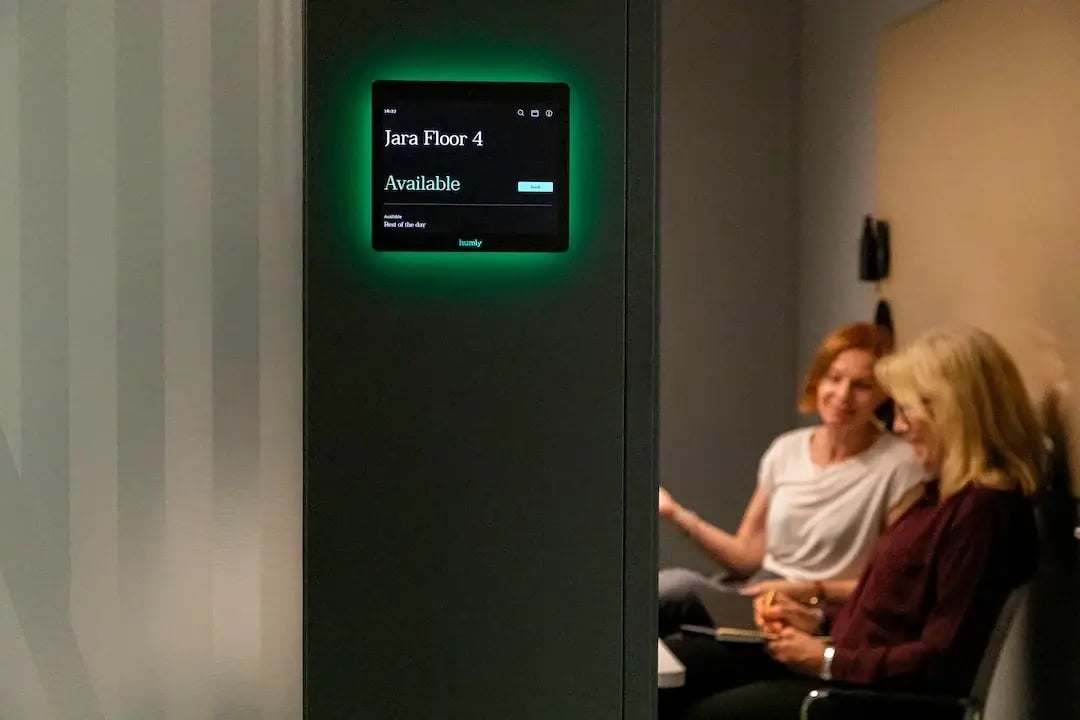
Room booking displays, sometimes referred to as room booking panels, are digital screens outside meeting rooms that shows availability and allows instant booking.
Room booking displays and panels provide real-time visibility into meeting room schedules and availability. They allow users to see whether a room is free, booked, or about to become available, and often enable direct interaction with bookings.
Room booking displays are a key component of modern workplace environments. Installed outside meeting rooms, they act as a visual interface between users and the booking system.
These displays reduce confusion and interruptions by clearly indicating room status. Users can instantly book a free room, extend meetings, or release unused reservations directly from the screen.
By improving visibility and accessibility, room booking displays help organizations reduce wasted space, improve meeting efficiency, and create a more intuitive workplace experience.
Humly connection
Humly Room Display is designed to provide clear, real-time room availability and seamless booking directly at the point of use.
Desk Booking
Desk booking allows employees to reserve desks when needed instead of using assigned seating.
Desk booking enables flexible workplaces by allowing employees to choose and reserve desks based on their needs. It supports hybrid work by ensuring that desks are available when employees come into the office.
With the rise of hybrid work, traditional assigned seating is becoming less relevant. Desk booking systems allow organizations to adapt to fluctuating office attendance by giving employees the flexibility to reserve a workspace when they need it.
This approach helps reduce unused office space while ensuring that employees always have access to a desk when they come in. Desk booking tools often include visual floor plans, availability indicators, and integrations with other workplace systems, making it easy to find and reserve the right space.
By implementing desk booking, organizations can improve space utilization, support flexible work policies, and create a more dynamic and efficient workplace environment.
Desk Booking System
A desk booking system allows employees to reserve desks in advance or on arrival.
Desk booking systems provide a structured way to manage flexible seating in modern workplaces. Employees can choose and reserve desks based on availability and their daily needs.
As hybrid work becomes more common, organizations need flexible solutions for managing office space. A desk booking system enables employees to plan their office visits by reserving a workspace ahead of time.
These systems often include interactive maps, availability indicators, and integrations with other workplace tools. This makes it easy to find suitable desks and ensures that space is used efficiently.
By implementing a desk booking system, organizations can reduce unused space, support flexible work policies, and create a more dynamic workplace that adapts to changing needs.
Humly connection
Humly Booking Device enables simple desk booking directly in the office environment.
Workplace Experience
Workplace experience is how people interact with and perceive the workplace environment and tools.
Workplace experience includes every interaction employees and visitors have with the workplace, from booking spaces to navigating the office. A strong experience reduces friction and improves productivity.
Workplace experience has become a key focus for organizations aiming to attract and retain talent. It goes beyond physical office design to include how easily employees can access spaces, tools, and services throughout their day.
Technology plays a central role in shaping workplace experience. Systems that simplify booking, provide clear information, and reduce uncertainty help create a more seamless and enjoyable environment. When employees can easily find a desk, locate a meeting room, or navigate the office, they spend less time on logistics and more time on meaningful work.
Improving workplace experience leads to higher employee satisfaction, better collaboration, and increased productivity. It also supports a more consistent experience across hybrid and in-office work.
Smart Workplace
A smart workplace uses connected technology and data to improve how spaces are used and managed.
A smart workplace integrates systems, devices, and data to create a responsive and efficient environment.
A smart workplace leverages connected technologies such as IoT devices, booking systems, and analytics platforms to create a more intelligent and adaptive environment. These systems provide real-time insights into how spaces are used, enabling organizations to respond quickly to changing needs.
Instead of relying on static schedules or manual processes, smart workplaces use data to optimize space usage, automate workflows, and improve decision-making. This includes features like real-time room availability, automated booking, and usage analytics.
By adopting smart workplace solutions, organizations can reduce inefficiencies, improve employee experience, and create a more sustainable and flexible workplace.
Workplace Analytics
Workplace analytics uses data to understand how spaces are used and support better decisions.
Workplace analytics provides insights into usage patterns, helping organizations optimize their workplace.
Workplace analytics collects data from booking systems, sensors, and other sources to provide a clear picture of how office spaces are used. This includes identifying peak usage times, popular spaces, and underutilized areas.
By analyzing this data, organizations can make informed decisions about space allocation, office design, and resource planning. Instead of relying on assumptions, workplace analytics enables a more strategic approach to workplace management.
Over time, this leads to better space utilization, cost savings, and improved employee experience.
Humly connection
Humly provides data-driven insights that help organizations optimize workplace performance.
Wayfinding/Navigation
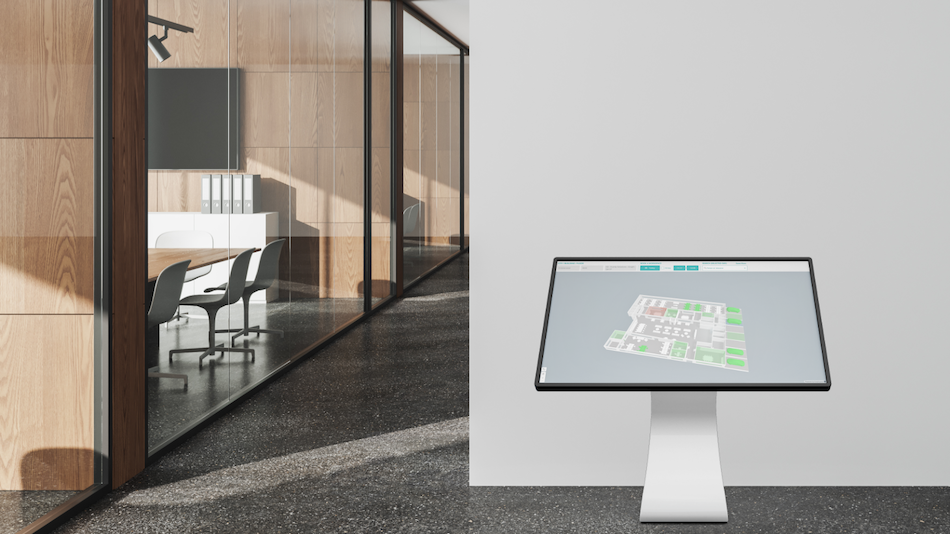
Wayfinding helps people navigate workplaces using maps, signage, or digital tools.
Wayfinding ensures that employees and visitors can easily find their way within the workplace.
In complex office environments, finding the right room, desk, or person can be time-consuming without proper guidance. Wayfinding solutions address this by providing clear directions and navigation tools.
Digital wayfinding systems enhance this further by offering interactive maps, real-time directions, and integration with booking systems. This allows users to navigate directly to their reserved spaces without confusion.
Effective wayfinding improves workplace flow, reduces frustration, and enhances the overall experience for both employees and visitors.
Humly connection
Humly helps improve navigation through clear room visibility and connected workplace tools.
Visitor Management
Visitor management is how organizations manage guest check-ins, access, and movement within the workplace.
Visitor management ensures a smooth, secure, and efficient process for handling guests in the workplace.
Modern visitor management systems replace manual check-in processes with digital solutions that streamline how guests enter and move through the workplace. Visitors can pre-register, check in quickly upon arrival, and receive directions or access credentials.
For organizations, this improves security by providing real-time visibility into who is in the building. It also enhances efficiency by reducing administrative work and minimizing waiting times at reception.
At the same time, visitor management plays a key role in shaping first impressions. A smooth and professional check-in experience contributes to a positive perception of the organization.
Humly connection
Humly offers a visitor management system called Humly Visitor. It supports connected workplace experiences where visitor flow integrates with space booking and navigation.
Space Utilization
Space utilization measures how effectively workplace spaces are used.
It provides insight into how often and how efficiently spaces are occupied.
Understanding space utilization is essential for optimizing workplace efficiency. By analyzing how often spaces are used and by whom, organizations can identify patterns and adjust accordingly.
This is particularly important in hybrid work environments, where office attendance can vary significantly. Without accurate data, organizations risk maintaining unnecessary space or failing to meet employee demand.
Improving space utilization helps reduce costs, support better planning, and create a more balanced workplace.
Humly connection
Humly enables better space utilization through booking data and real-time visibility.
Space Management Software
Space management software helps organizations plan, allocate, and optimize workplace spaces.
It provides tools to manage how space is used, ensuring efficiency and alignment with organizational needs.
Space management software enables organizations to take a strategic approach to managing their physical environments. It provides visibility into how spaces are allocated and used, helping identify inefficiencies and opportunities for improvement.
These systems often include features such as floor plan management, booking integration, and analytics, allowing organizations to make data-driven decisions about their workplace.
By optimizing space usage, organizations can reduce costs, improve employee experience, and create more flexible and adaptable workplaces that meet changing demands.
Humly connection
Humly supports space management through connected booking tools and workplace insights.
Hybrid Workplace
A hybrid workplace is a work model where employees split their time between the office and remote locations.
Hybrid workplaces combine in-office and remote work, requiring flexible systems that support both environments. Employees can choose where they work based on their tasks and preferences.
The hybrid workplace has become a standard model for many organizations, offering flexibility while maintaining access to physical office spaces. This shift requires new approaches to workplace management, as office attendance becomes less predictable.
To support hybrid work effectively, organizations need tools that provide visibility into space availability, enable easy booking of desks and rooms, and support collaboration across locations.
A well-designed hybrid workplace balances flexibility with structure, ensuring that employees can work efficiently regardless of where they are. It also enables organizations to optimize space usage and reduce costs.
Humly connection
Humly supports hybrid workplaces by enabling flexible booking and real-time visibility of office spaces.
Microsoft Teams Room
A Microsoft Teams Room is a meeting space equipped with technology for video conferencing and collaboration using Microsoft Teams.
Microsoft Teams Rooms are designed to make hybrid meetings seamless by combining audio, video, and collaboration tools in a dedicated physical space.
Microsoft Teams Rooms integrate hardware and software to create a consistent meeting experience for both in-room and remote participants. These rooms typically include cameras, microphones, displays, and touch panels, all connected through the Microsoft Teams platform.
The goal is to simplify meeting setup and ensure that participants can join and collaborate easily, regardless of location. Teams Rooms support features such as one-touch join, screen sharing, and high-quality audio and video.
By standardizing meeting environments, organizations can improve collaboration, reduce technical issues, and create a more inclusive experience for hybrid teams.
Humly connection
Humly integrates seamlessly with Microsoft Teams environments to support room booking and meeting visibility.
Teams Panel
A Teams Panel is a touch display outside meeting rooms that integrates with Microsoft Teams to show schedules and enable booking.
Teams Panels are designed to work within the Microsoft Teams ecosystem, providing real-time meeting room information and booking capabilities.
Microsoft Teams Panels are purpose-built devices that display meeting room schedules and allow users to interact with bookings directly outside the room. They integrate with Microsoft 365 and Teams calendars to provide real-time updates.
Humly connection
Humly Room Display offers a flexible alternative with deep integration into Microsoft Teams environments. It is also a more secure and sustainable option.
Occupancy Detection
Occupancy detection identifies whether a space is in use using sensors or data.
Occupancy detection helps organizations understand real-time and historical usage of spaces.
Occupancy detection uses sensors or system data to determine whether rooms, desks, or other spaces are occupied. This information can be used in real time to show availability or analyzed over time to identify usage patterns.
By understanding actual occupancy, organizations can reduce wasted space, improve booking accuracy, and optimize workplace design. It also helps eliminate issues like ghost meetings, where rooms are booked but not used.
When combined with analytics, occupancy detection provides valuable insights that support more efficient and responsive workplace management.
Humly connection
Humly integrates with workplace data sources to improve visibility and accuracy of space usage through Humly Sense. With Humly Room Display and Humly Booking Device you can connect third-party sensors to detect motion and occupancy.
AV Stack
An AV stack is the combination of in-room technology – such as displays, cameras, microphones, and software – that enables meetings, presentations, and collaboration.
An AV (audiovisual) stack refers to all the equipment and systems inside a meeting room that make communication and collaboration possible. This typically includes the display, camera, microphones, speakers, control systems, and the software platform they connect to, such as Microsoft Teams or Zoom.
Put simply, the AV stack is the technology setup that determines how a meeting room sounds, looks, and functions. A well-designed AV stack enables seamless meetings, while a poorly configured one can create friction from the moment a meeting starts.
In modern workplaces, meeting rooms are no longer just physical spaces—they are technology-enabled environments designed to support both in-person and hybrid collaboration. The AV stack plays a central role in this by bringing together all the components required for effective communication.
A typical AV stack includes hardware such as displays, cameras, microphones, and speakers, combined with control interfaces and software platforms like Microsoft Teams or Zoom. These elements must work together seamlessly to deliver a consistent and reliable meeting experience.
When the AV stack is well integrated, users can join meetings quickly, share content easily, and communicate clearly regardless of location. When it is not, meetings can be delayed by technical issues, poor audio quality, or complex setup processes.
Understanding the AV stack is essential for designing meeting rooms that support productivity and collaboration. It also helps organizations make informed decisions about how workplace technology should be implemented and integrated across different spaces.
Humly connection
Humly complements the AV stack by making meeting spaces easy to find, book, and access– ensuring that the technology inside the room is actually used efficiently. With Humly Room Display and Humly Booking Device you can complete the meeting room.
Humly Products & Solutions
Humly Room Display
Humly Room Display makes meeting room management effortless as a meeting room booking solution. See availability at a glance, find the right space, and manage bookings — all without breaking focus.
Humly Wayfinding
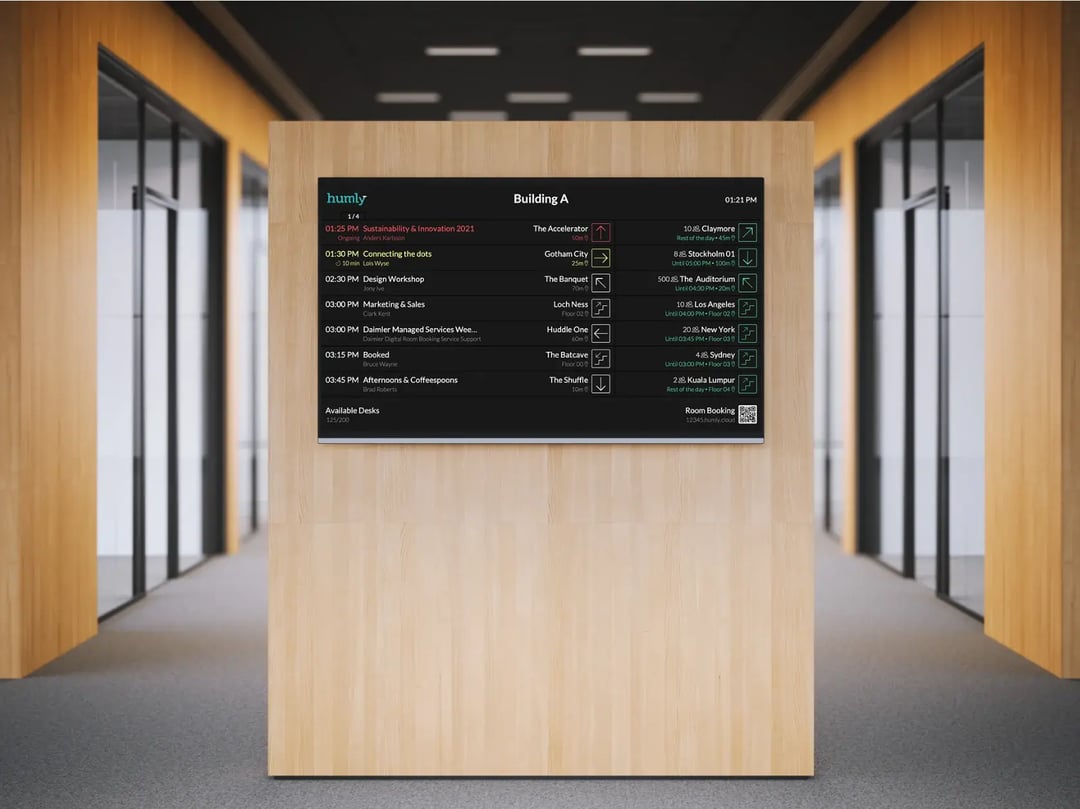
Humly Wayfinding is inspired by airport boards and it offers clear, chronological meeting information at a glance. No maps, no confusion - just fast and effortless directions.
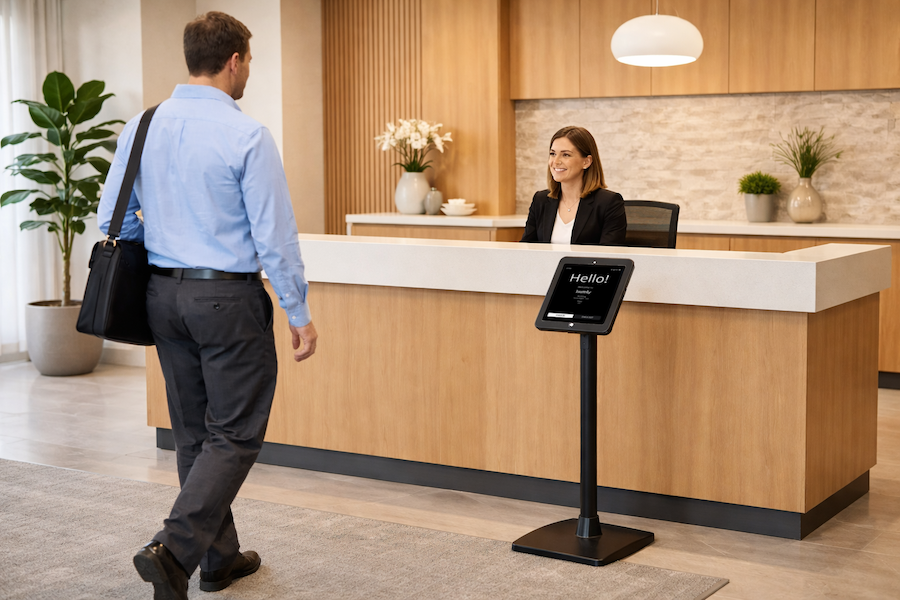
Humly Visitor
Humly Visitor is the smart solution for tracking arrivals and departures – ensuring a smooth, professional welcome.
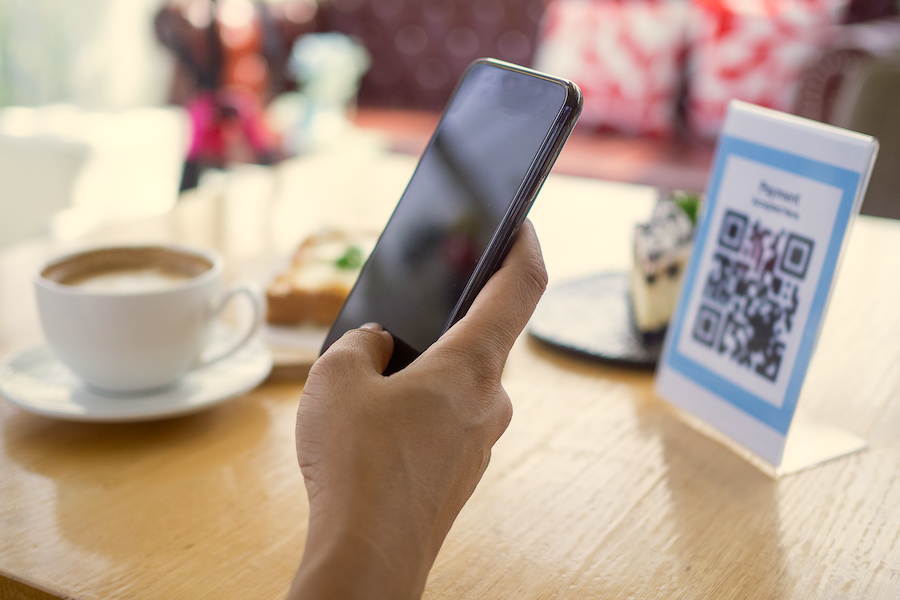
Humly QR Booking
For organizations that don't need full display setups, Humly QR Booking offers a low-touch, cost-effective way to manage shared spaces.
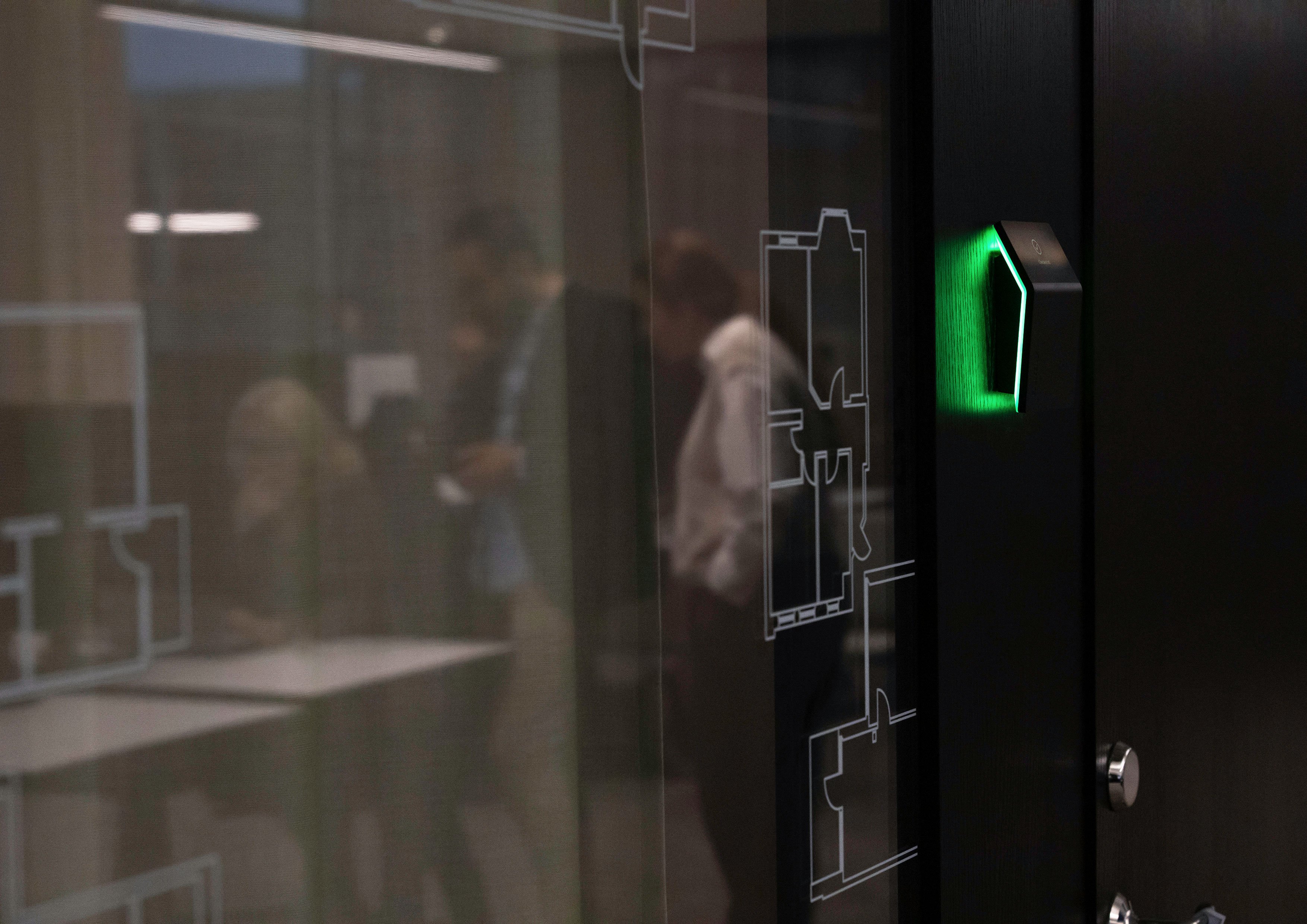
Humly Booking Device
Humly Booking Device is a subtle, intelligent way to book desks, rooms, or focus spaces – giving hybrid workplaces the freedom to stay organized, connected, and in sync.
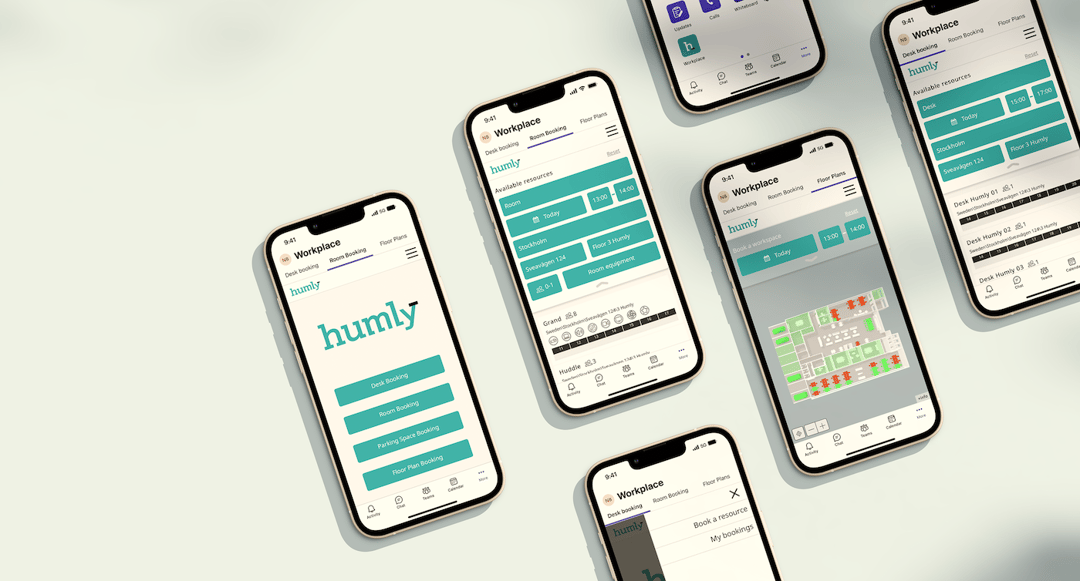
Humly Reservations
Use Humly Reservations as a booking solution for all of your spaces. Parking, desks or rooms and find where your colleagues are located. Use the feature QR Booking and scan a QR code to check availability and book instantly through Humly Reservations.
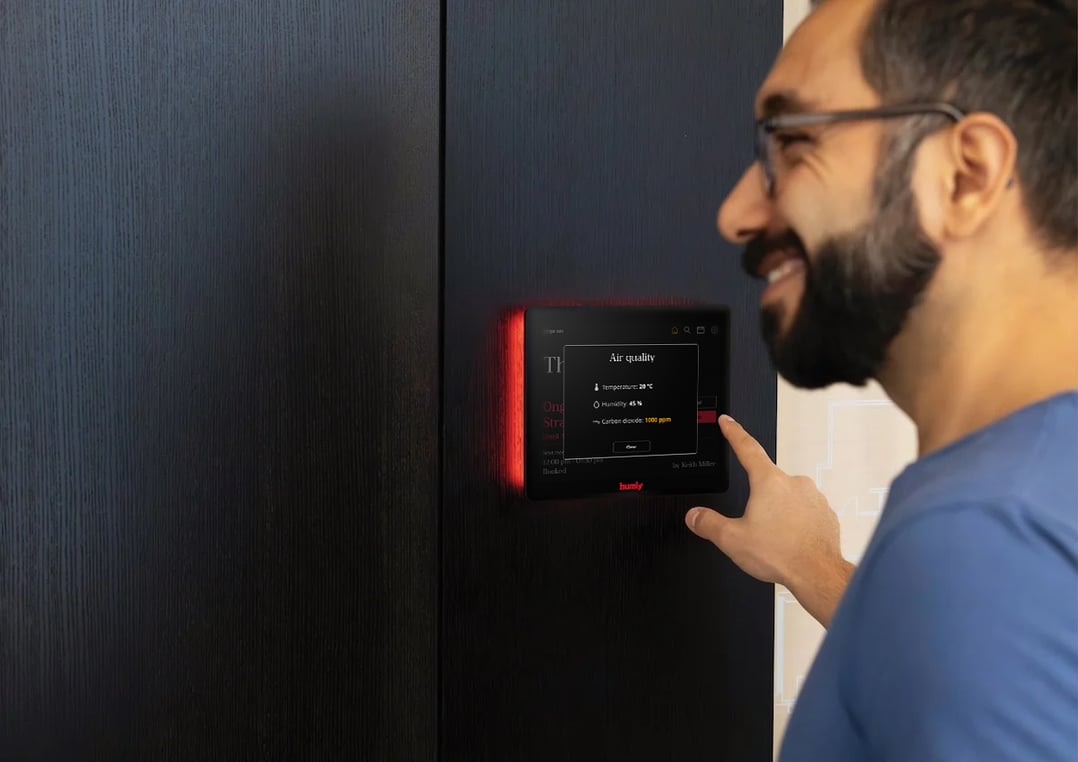
Humly Sense
Humly Sense is a seamless sensor integration platform that connects third-party sensors to the Humly ecosystem. It provides real-time data to help you create smarter, healthier, and more efficient workplaces.
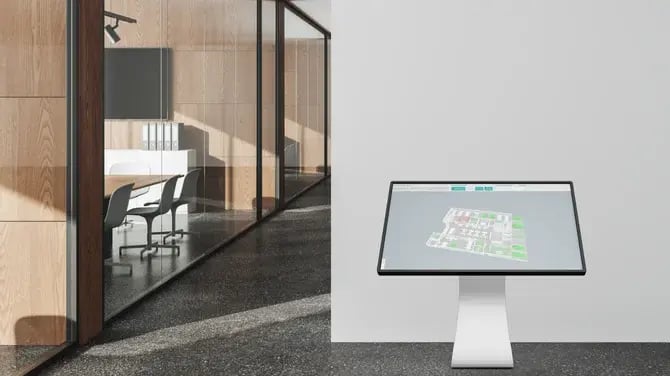
Humly Floor Plan
Humly Floor Plan is the navigation and wayfinding solution where you can see your office in real time — desks, rooms, and parking — to check availability, find colleagues, and book spaces instantly.
Connect your workplace with the Humly products
Humly is the integrated ecosystem of workplace solutions: booking, wayfinding, check-in, and insights for smarter use of space.
With all of the Humly Ecosystem you can manage your workplace easily.